Due to its ListActivity class the Android SDK helps developers to create List-GUIs easily. Therefore the ListActivity uses a ListView. But what about customized lists? What about own list-designs? In this post I’ll try to show how to extend a standard ListView to create a custom list-design. To create your own list-design, you should define how an item in your list should look like. As an example I’ll use a list of Twitter-updates (also called „tweets“).
To define how a tweet should be displayed you can create a new layout-file (e.g. tweet.xml) in
res/layout/
. Its content could look like this:
This simple layout definition declares how a single tweet should be structured and displayed as an item in the list. To let the
ListView
use this layout a customized
ListAdapter
must be set. To create such an adapter the class
<a title="Reference - BaseAdapter" href="http://developer.android.com/reference/android/widget/BaseAdapter.html">BaseAdapter</a>
can be used.
public class TweetListAdapter extends BaseAdapter {

    private List tweetList;

    private Context context;

    public TweetListAdapter(List tweetList, Context context) {
        this.tweetList = tweetList;
        this.context = context;
    }

    public int getCount() {
        return tweetList.size();
    }

    public Tweet getItem(int position) {
        return tweetList.get(position);
    }

    public long getItemId(int position) {
        return tweetList.get(position).getId();
    }

    public View getView(int position, View convertView, ViewGroup parent) {
        LinearLayout itemLayout;
        Tweet tweet = tweets.get(position);

        itemLayout= (LinearLayout) LayoutInflater.from(context).inflate(R.layout.tweet, parent, false);

        TextView tvUser = (TextView) itemLayout.findViewById(R.id.TweetUserName);
        tvUser.setText(tweet.getUsername());

        TextView tvText = (TextView) itemLayout.findViewById(R.id.TweetText);
        tvText.setText(tweet.getText());

        return itemLayout;
    }

}
The method
getView
now returns a custom design for each list-item based on the tweet.xml. To use this new
TweetListAdapter
within your
ListActivity
you should set it to
ListActivity
‘s
ListView
. Therefore the
onCreate
-method is recommended.
public class TweetListActivity extends ListActivity {

    @Override
    public void onCreate(Bundle savedInstanceState) {
        super.onCreate(savedInstanceState);
        List tweetList = loadTweets();

        ListAdapter adapter = new TweetListAdapter(tweetList, this);
        getListView().setAdapter(adapter);
    }

}
That’s all. If you now run your Activity within the SDKs emulator every item should look like defined in
tweet.xml
. If you like to you can extend the
tweet.xml
on your own and add things like an image and/or the tweet’s posting-time. If you do so the
getView
-method of
TweetListAdapter
should be extended too to fill all nested fields.
 We all like a playback progress bar underneath our media players, so we can see how far we are and, if necesary, drag the thumb to were we want it to be.


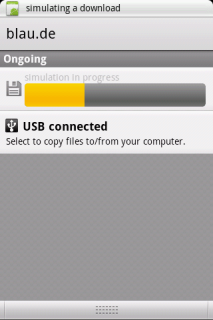 When you download from the Market you get informed about the progress in the notification area.That’s a really nice feature, which you may want for your own download or processing progress. I will show you the basics of generating such a Notification. All you need to do is add it to your code.